Tools
Tools give your agents the ability to interact with the outside world. Connect MCP servers, HTTP APIs, or use Cadenya's built-in tools.
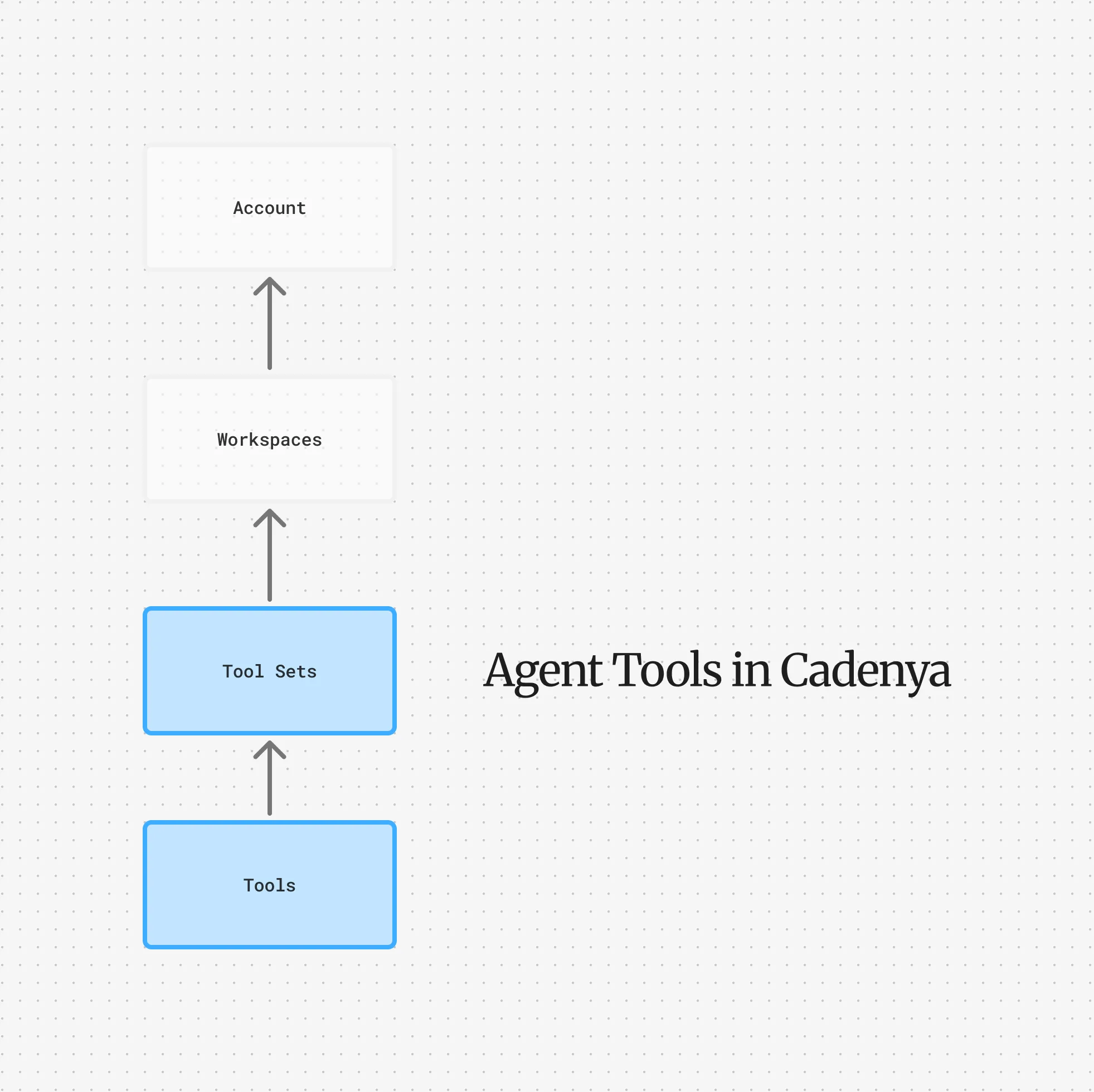
Tools are how your agents interact with the outside world. Without tools, agents can only talk. With tools, they can look things up, create records, send emails, charge credit cards, or really anything you expose to them.
Tools live inside Tool Sets, which are workspace-scoped collections that connect to an external provider. You point a tool set at an MCP server or HTTP API, and Cadenya syncs the available tools automatically. Assign tool sets to your agent variations, and those tools become available during objectives.
Adapters
Section titled “Adapters”Every tool set connects to a tool provider through an adapter. There are two types.
The MCP adapter connects to a Model Context Protocol server. Cadenya discovers tools from the server and keeps them in sync. If you add or remove tools on your MCP server, they’ll show up (or disappear) in Cadenya after the next sync.
Cadenya supports custom headers on MCP connections, so you can pass authentication tokens or any other headers your server expects.
The HTTP adapter connects to a standard REST API. Each tool maps to an endpoint with a method, path, headers, and an optional request body template. When an agent calls the tool, Cadenya renders the template with the agent’s arguments and fires the request.
HTTP tools send platform headers (x-cadenya-tool-call-id, x-cadenya-objective-id, x-cadenya-agent-id, x-cadenya-agent-variation-id) so your API can correlate requests back to the agent that made them.
Filtering
Section titled “Filtering”MCP servers might expose dozens of tools, but your agent probably doesn’t need all of them. Tool sets support include and exclude filters so you control exactly what gets synced.
Filters match on tool name, title, or description using exact match, prefix, suffix, contains, or regex. You can combine multiple conditions with AND/OR logic.
Approval
Section titled “Approval”Some tools shouldn’t fire without a human in the loop. When a tool has requires_approval enabled, the agent pauses and waits for someone to approve or deny the call before continuing. Approval requests have a 24-hour timeout.
You can set approval requirements per-tool, or use approval filters on the adapter to automatically require approval for tools matching certain patterns. This is handy when you want blanket approval on everything from an MCP server except, say, read-only tools.
When an approval is requested, Cadenya sends a webhook so you can notify the right person. See the webhooks guide for the full flow.
Progressive Discovery
Section titled “Progressive Discovery”By default, all tools assigned to a variation are loaded into the context window at the start of an objective. This works great when you have a handful of tools, but if your agent has access to 50+, that’s a lot of tokens spent on tool definitions the agent might never use.
Progressive discovery flips this: tools aren’t loaded upfront. Instead, the agent searches for tools by name when it needs one. Only matched tools get added to the context window.
You configure progressive discovery on the agent variation, not on the tool set itself. It includes options for max tools per search, keyword hints, and a rerank threshold to prevent irrelevant tools from sneaking in.
Assigning Tools to Agents
Section titled “Assigning Tools to Agents”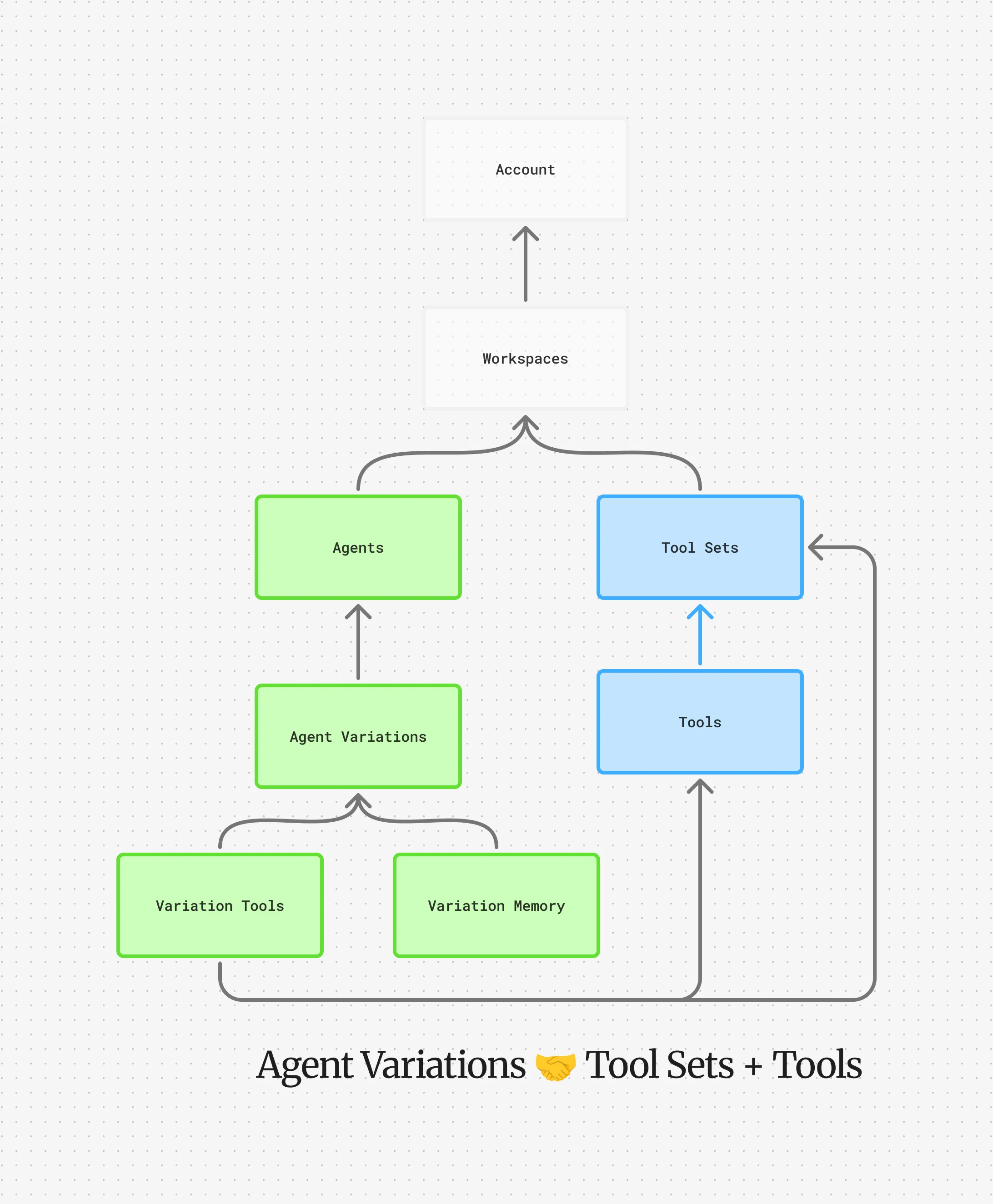
Tool sets are assigned to agent variations, not to agents directly. This means different variations of the same agent can have access to different tools, which is useful for A/B testing whether more or fewer tools improves performance.