API Design
A rule of thumb: Anything you can do on app.cadenya.com means there’s (most likely) an API for it.
Authentication
Section titled “Authentication”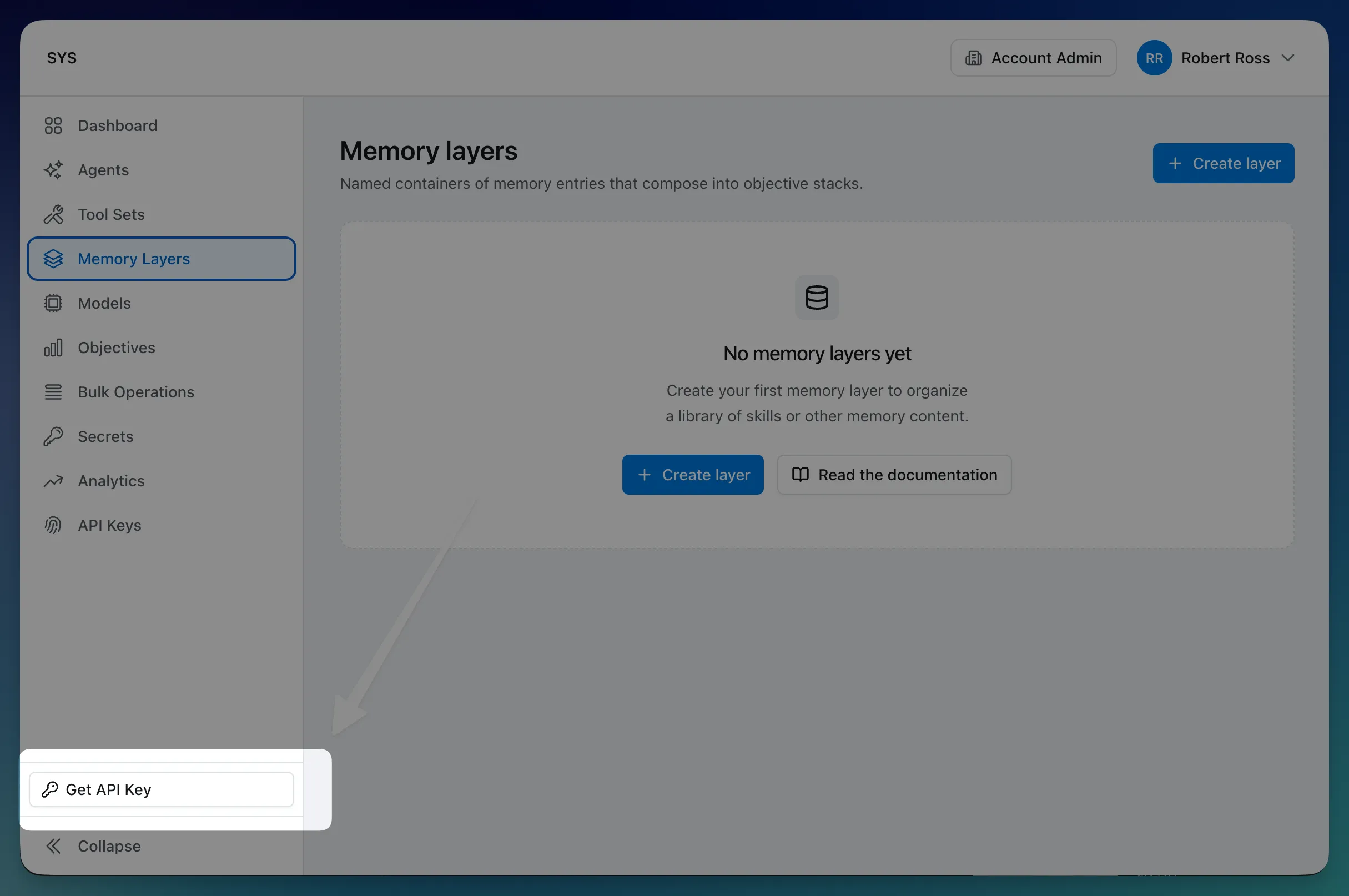
Every Cadenya API request is authenticated with an HTTP Bearer token in JWT form:
GET /v1/agentsAuthorization: Bearer eyJhbGciOiJIUzI1NiI...The token is issued when you create an API key. API keys are account-scoped: one is created automatically with your account, and the JWT it produces carries that account as a claim. Workspace-scoped operations require a workspace_id in the request path.
A few practical notes:
- The raw token value is only returned at creation time and again on rotation. We never echo it back on subsequent reads. If you misplace it, rotate the key.
- Rotate in place with
PUT /v1/api_keys/{id}/rotate. The previous token is invalidated immediately on rotation, so plan the cutover. - API keys are account-level resources (e.g.
apikey_01HXK...) and carry the same labels, external ids, and metadata as anything else you create.
ID Choice
Section titled “ID Choice”Every Cadenya identifier is a prefixed ULID. For example: agent_01HXK7M..., ts_01HXK8P.... We picked this format on purpose:
- The prefix tells you the type at a glance.
agent_,ts_,tool_,obj_,memlyr_. You’ll never have to squint at an id wondering what it points to. - ULIDs are lexicographically sortable by creation time. Lists come back in a stable, time-ordered way, and inserts stay sequential. Friendlier on database indexes than random UUIDs.
- No hyphens. Double-click an id in your terminal or editor and the whole thing highlights as one token, ready to copy.
Common Definitions
Section titled “Common Definitions”Cadenya has a few common types you’ll see consistently throughout our API design. Most of the time, you’ll interact with:
| Type | Description |
|---|---|
Workspace Resource | A persistent, named, workspace-scoped resource (agents, tool sets, tools, memory layers, and friends) that carries a ResourceMetadata block with id, account_id, workspace_id, name, external_id, labels, profile_id, and created_at. |
Operation Metadata | Metadata for ephemeral activities like objectives, executions, and runs; the same multi-tenant fields as ResourceMetadata minus name, since operations are referenced by id rather than a human label. |
Spec | Your intent for a resource or operation (e.g. AgentSpec, ToolSetSpec, ObjectiveSpec); this is what you send on create and update, with server-managed and read-only fields kept out. |
Info | Read-only, server-computed details (e.g. AgentInfo.variation_count, denormalized creator profiles, derived counts) returned on reads but never accepted on writes, handy for display without an extra round-trip. |
Anatomy of a resource
Section titled “Anatomy of a resource”Every persistent resource hangs three things off a single object: metadata, spec, and info.
{ "metadata": { "id": "agent_01HXK7M...", "account_id": "acc_01...", "workspace_id": "ws_01...", "name": "Customer Support Agent", "external_id": "support_v2", "labels": { "team": "platform", "env": "production" }, "profile_id": "prof_01...", "created_at": "2025-08-12T17:00:00Z" }, "spec": { "description": "Concise support agent", "status": "PUBLISHED", "variation_selection_mode": "WEIGHTED", "webhook_events_url": "https://example.com/webhook" }, "info": { "variation_count": 3, "created_by": { "...": "Profile reference" } }}You send metadata and spec on create and update. The user-controlled metadata fields are name, external_id, and labels; everything else inside metadata (id, account_id, workspace_id, profile_id, created_at) is server-populated and ignored if you set it. The info block is server-only and never accepted on writes. The split keeps your intent (spec) cleanly separated from how you organize the resource (metadata) and from anything Cadenya derived for you (info).
External IDs are first-class in paths
Section titled “External IDs are first-class in paths”Any resource (and some operation types, like objectives) you create in Cadenya carries a metadata.external_id field you can set to whatever value makes sense in your own system: a row id, a workflow key, a slug. Set it once at creation time and you can refer to that resource by your id forever after.
curl -X POST https://api.cadenya.com/v1/tool_sets \ -H "Authorization: Bearer $CADENYA_TOKEN" \ -H "Content-Type: application/json" \ -d '{ "metadata": { "name": "Billing Tools", "external_id": "billing-tools-v2" }, "spec": { /* ... */ } }'Every endpoint that takes a resource id in its path then accepts either the canonical Cadenya id or your external id, via a syntactic prefix:
GET /v1/tool_sets/ts_01HXK8P... # canonical idGET /v1/tool_sets/external_id:billing-tools-v2 # your idThe colon is the trick. Canonical ULIDs never contain one, so there’s no ambiguity, and a missing match returns 404. Nested paths apply the same rule independently, so you can mix and match:
GET /v1/agents/external_id:support_v2/variations/external_id:conciseExternal IDs scope to their parent, not the whole workspace. Top-level workspace resources (agents, tool sets, memory layers, API keys) share one workspace-wide namespace, so every external_id has to be unique inside the workspace. Subresources scope to their parent: an agent variation’s external_id only has to be unique within its agent, which means two different agents can both have a variation called concise without colliding.
Net effect: you can wire Cadenya into your existing systems without ever holding onto our IDs if you don’t want to.
Multi-tenancy: account, workspace, operation
Section titled “Multi-tenancy: account, workspace, operation”There are three scopes you’ll see in the API:
| Scope | Carries account_id | Carries workspace_id | Examples |
|---|---|---|---|
| Account | Yes | No | Profiles, API keys |
| Workspace | Yes | Yes | Agents, tools, memory layers |
| Operation | Yes | Yes | Objectives, executions, runs |
Profiles (your team members and API keys) live at the account level so the same human can move between workspaces without being re-invited. Almost everything else is workspace-scoped, which gives you a clean boundary for staging vs. production, customer A vs. customer B, or two squads working out of one account.
List requests
Section titled “List requests”Every list endpoint takes the same shape:
GET /v1/agents?limit=50&prefix=support&query=billing&sort_order=desc&include_info=true| Field | What it does |
|---|---|
limit | Cap on items returned, 1 to 100. |
cursor | Opaque pagination token from the previous page. |
prefix | Name-prefix filter on the resource. |
query | Free-text search across name and description. |
sort_order | asc or desc by creation time. |
include_info | When true, populates the info block on every row. |
Responses come back with a Page block alongside the items:
{ "items": [ /* ... */ ], "page": { "next_cursor": "eyJrIjoi...", "total": 1247 }}Cursors are opaque. Don’t try to decode them; we reserve the right to change the format. total is best-effort and may be approximate on large result sets, so use it for “12+ pages” UI hints, not for invoicing.
About include_info
Section titled “About include_info”This one is worth pausing on, because we’re a little proud of it. Resources have an info block (counts, denormalized creator profiles, derived metrics) that’s noticeably more expensive to compute than the row itself. Most APIs pick one of two unhappy defaults:
- Always include it. Lists get slow, especially under load.
- Never include it. Clients fan out into N+1 follow-up requests just to render a list with counts.
Cadenya lets you pick per request. Rendering a dashboard that wants those counts visible? Set include_info=true and we do the work in one round trip. Piping a list into a sync job that only cares about ids and timestamps? Leave it off and your rate-limit budget will thank you.
Updates use field masks
Section titled “Updates use field masks”Updates are PUT-shaped but behave like PATCH thanks to update_mask:
PUT /v1/agents/agent_01HXK...{ "spec": { "description": "New description", "status": "PUBLISHED" }, "update_mask": "spec.description,spec.status"}Only the paths in update_mask are applied. Anything else in the body is ignored. This keeps two clients writing to different fields from clobbering each other, and it removes a class of “I forgot to send a field, did it just get cleared?” bugs.
Subresources nest
Section titled “Subresources nest”Anything that conceptually lives under something else is a subresource with a nested path:
GET /v1/agents/{agent_id}/variations/{variation_id}GET /v1/tool_sets/{tool_set_id}/tools/{tool_id}GET /v1/memory_layers/{layer_id}/entries/{key}GET /v1/objectives/{objective_id}/feedbackBoth ids accept the canonical or external_id: form independently. Join records (variation assignments, memory-layer assignments) get their own row id since they need to be addressable for removal, but no external_id since you don’t usually create them by hand.
Lightweight references
Section titled “Lightweight references”Two types show up when something needs to point at another resource without dragging the whole thing in:
ResourceReferenceis{type, id, name}. Used when the type isn’t obvious from context: events, audit logs, and any place a tool could be a regular tool, an agent-as-tool, or a Cadenya-provided tool.BareMetadatais{id, name?}. Used when the type is implied: the tool inside aCallableTool, the agent inside an objective.
Both are server-populated. If you find yourself constructing one by hand, you’re probably reaching for the wrong thing.
Labels for everything you’ll want to filter
Section titled “Labels for everything you’ll want to filter”ResourceMetadata and OperationMetadata both carry a labels map of string-to-string pairs:
"labels": { "environment": "production", "team": "platform", "feature": "billing-v2"}We don’t constrain what you put there. List endpoints accept label filters, plus a prefix (matches names starting with…) and a query (free-text search across name and description) so you can find things without having tagged perfectly up front.
Snapshot isolation
Section titled “Snapshot isolation”When you create an objective, the agent, variation, and tools are snapshotted at that instant. Updating the underlying tool the next day doesn’t change the in-flight objective’s behavior. Webhook payloads include the snapshot, so consumers don’t need to fan out and refetch every referenced thing just to render a notification.
The mental model is: there’s “what does this resource look like right now” (the live record) and “what did this objective execute against” (the snapshot). Both are queryable. They’re not always equal.
Webhooks: Standard Webhooks, with delivery records
Section titled “Webhooks: Standard Webhooks, with delivery records”Agent webhook endpoints follow the Standard Webhooks spec, so you can verify payloads with any compliant library and unwrap them into a discriminated union (our TypeScript and Go SDKs do this for you).
Each delivery is also a tracked resource. A WebhookDelivery records:
webhook_idfor idempotent dedup of retries.- HTTP status, latency, and response headers from your endpoint.
- A status of
PENDING,COMPLETED,FAILED, orDISABLED(the last meaning we gave up after enough failures).
So if a webhook went missing on your end, you don’t need to log every delivery yourself just to debug. You can ask us.
Big payloads ride on uploads
Section titled “Big payloads ride on uploads”Anything large (memory entries over ~1 MB, file attachments) goes through a two-step upload:
POST /v1/uploadsto get a presigned URL.PUTthe bytes to that URL directly.- Reference the resulting
upload_idwhen you create the resource that needs the content.
This keeps API requests and responses small enough to stay readable in a debugger and offloads transfer cost to object storage. Uploads expire if not consumed.