Objectives
Objectives are how you give agents work to do. They represent a single task with tools, memory, and a full event timeline.
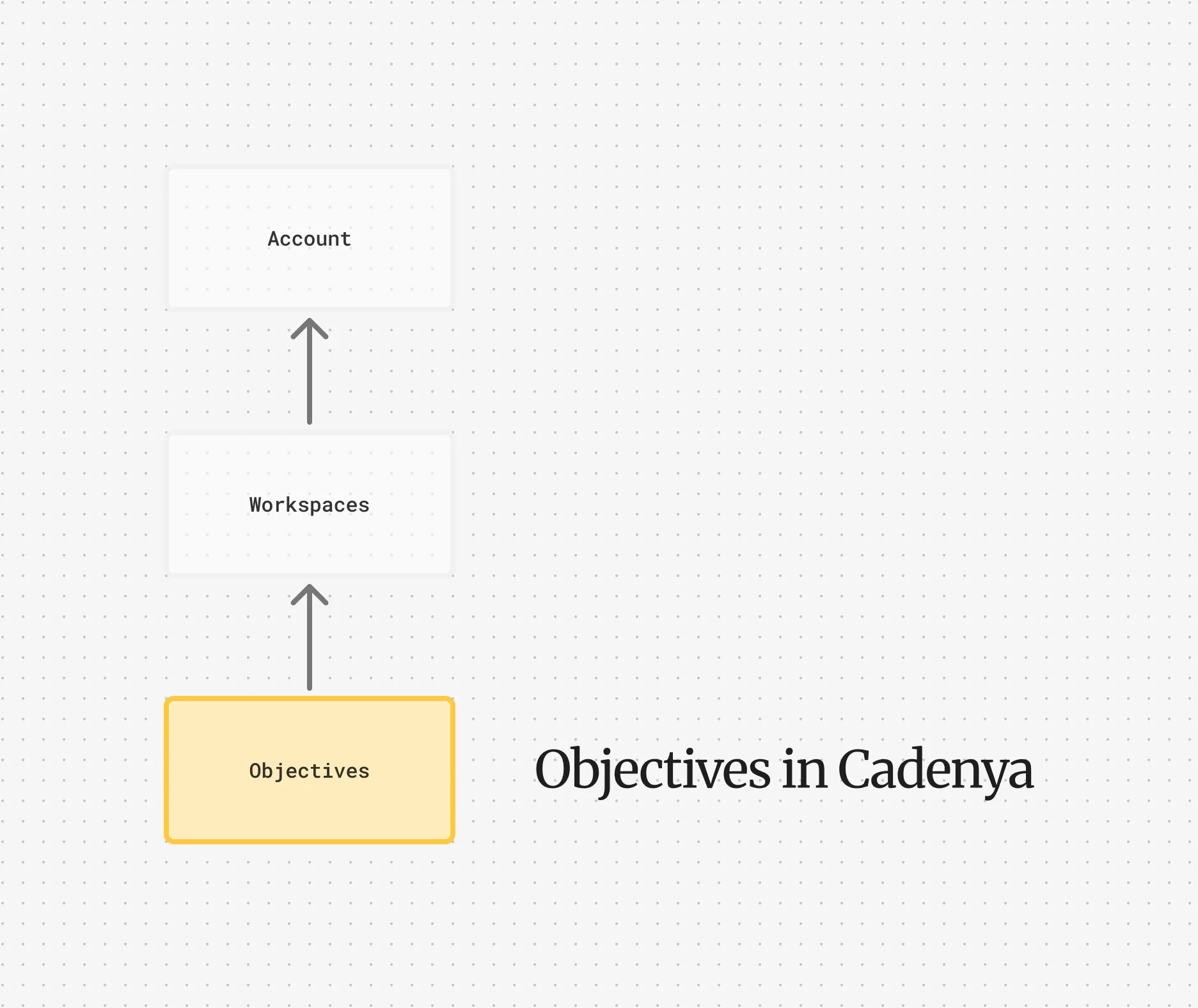
Objectives are the whole point. You’ve configured your agent, assigned tools, layered in memory, and now it’s time to put it to work. An objective is a task you hand to an agent. The agent receives your message, selects tools, reads memory, and iterates until the job is done (or something goes wrong).
Lifecycle
Section titled “Lifecycle”Every objective moves through a set of states:
| State | Description |
|---|---|
| Pending | Created and queued for execution. |
| Running | The agent is actively iterating: calling tools, reasoning, making progress. |
| Completed | The agent finished the task. |
| Failed | Something went wrong during execution. |
| Cancelled | You stopped it. This is final and cannot be continued. |
Completed and failed objectives can be continued with a follow-up message. Cancelled objectives cannot. Cancellation is the kill switch.
Creating an Objective
Section titled “Creating an Objective”When you create an objective, you provide an agent, an initial message, and optionally some extras like memory layers, secrets, and structured data.
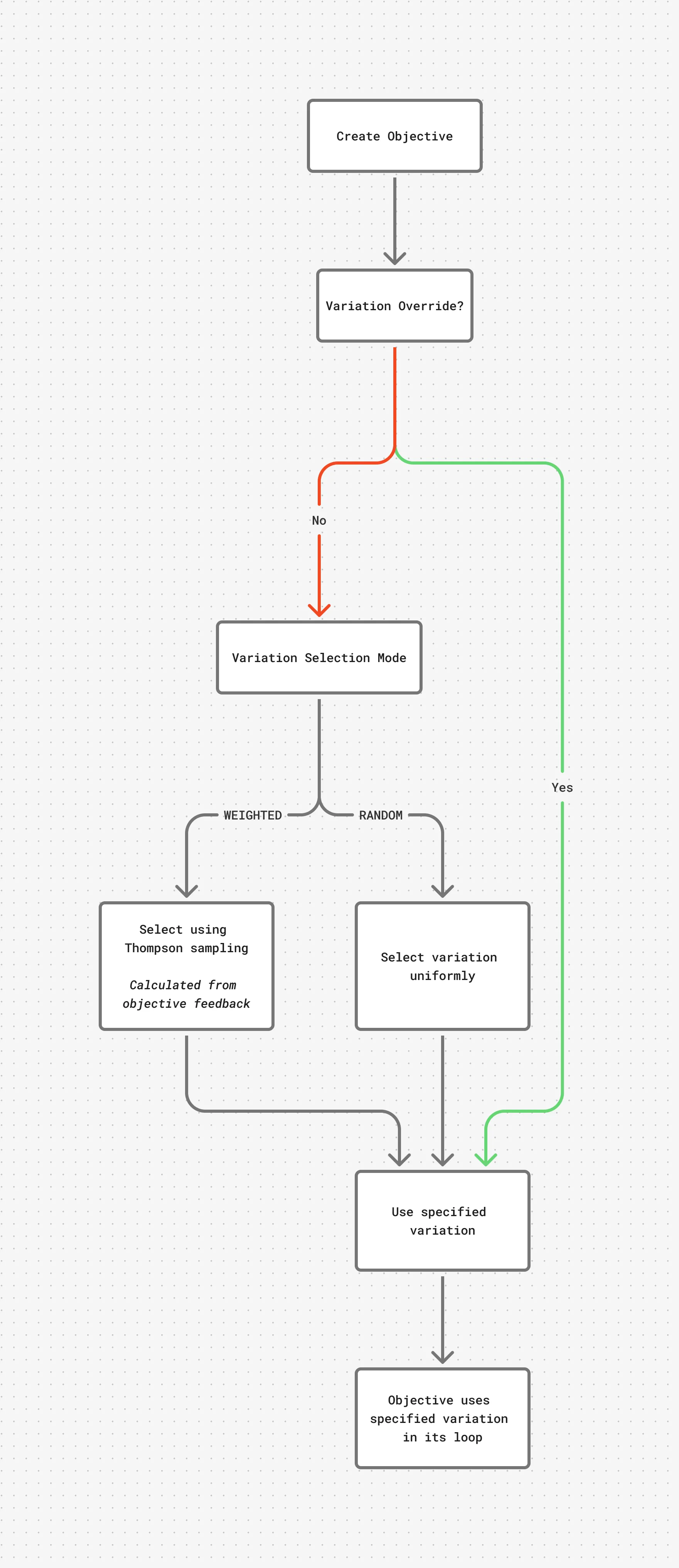
The variation is selected at this moment and locked in for the objective’s lifetime. If you don’t specify a variation_id, the agent’s variation selection mode picks one for you.
The Data Field
Section titled “The Data Field”Objectives accept arbitrary JSON in the data field. This data is available to the variation’s prompt via Liquid templating. If your agent’s prompt references {{ data.customer_id }}, whatever you pass in data will be substituted at runtime.
curl https://api.cadenya.com/v1/workspaces/$WORKSPACE_ID/objectives \ -H "Authorization: Bearer $CADENYA_API_KEY" \ -H "Content-Type: application/json" \ -d '{ "agentId": "agent_01KQSGJRXYYR2W2Y34XXGPTQS9", "data": { "initialMessage": "Help this customer with their refund request.", "data": { "customerId": "cust_8vZ3kQ", "plan": "enterprise", "accountAge": "3 years" } } }'Your agent variation’s prompt can then reference those values:
You are a support agent for Cadenya.
The customer you are helping is on the {{ data.plan }} planand has been with us for {{ data.accountAge }}.
If your agent has an input_data_schema defined, Cadenya validates the data against that schema before starting execution. Think of it like request validation for your agent.
Memory
Section titled “Memory”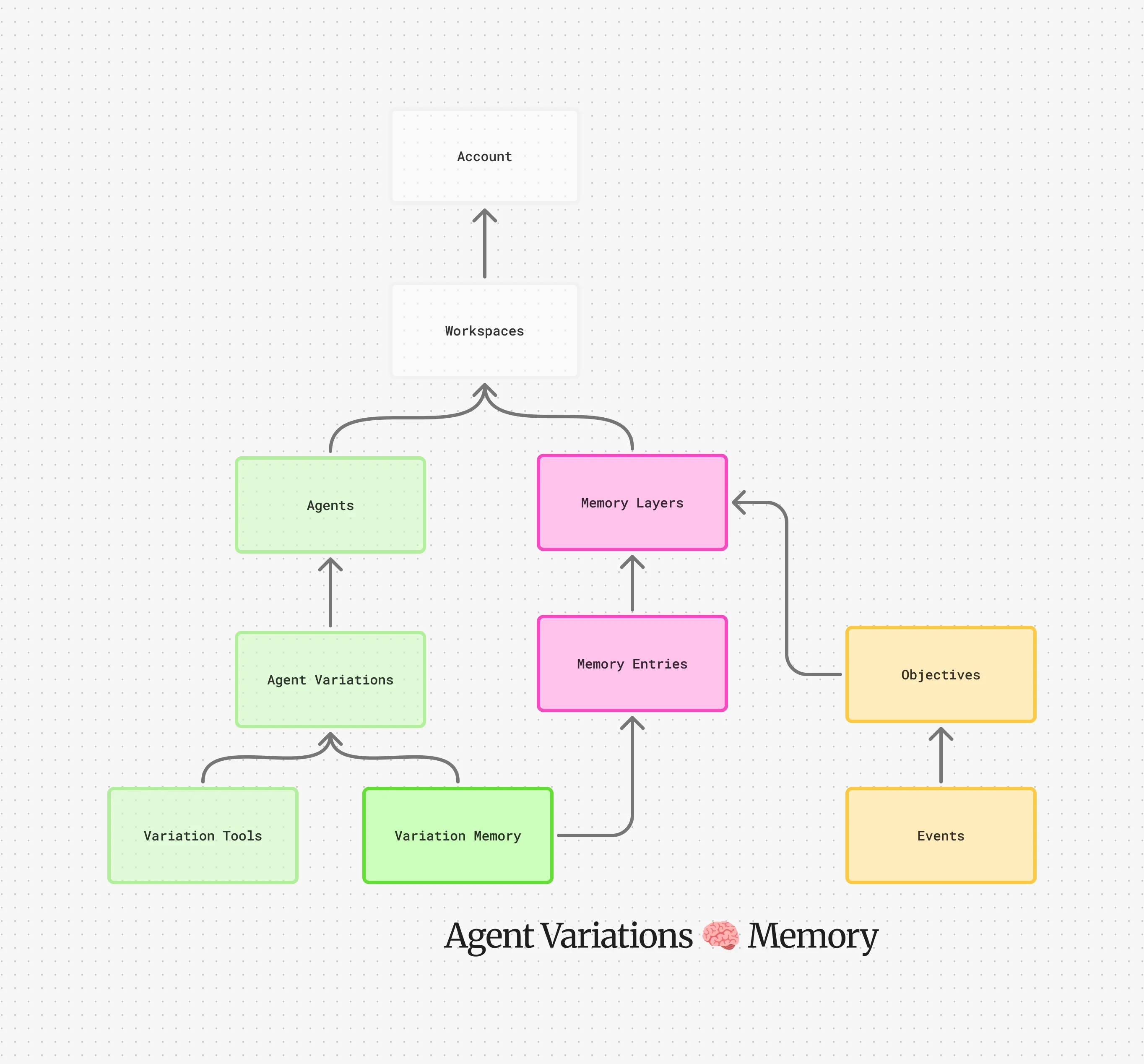
An objective inherits its memory layers from the selected agent variation. When the agent needs context during a session, it calls the read_memory tool to load entries by key. Memory isn’t dumped into context all at once. The agent pulls in what it needs, when it needs it.
You can also push additional memory layers onto an objective at creation time. These sit on top of the variation’s baseline stack, so they take priority when keys collide. This is how you customize behavior per-task without touching agent configuration. For example, appending a customer-specific memory layer that overrides default prose or procedures.
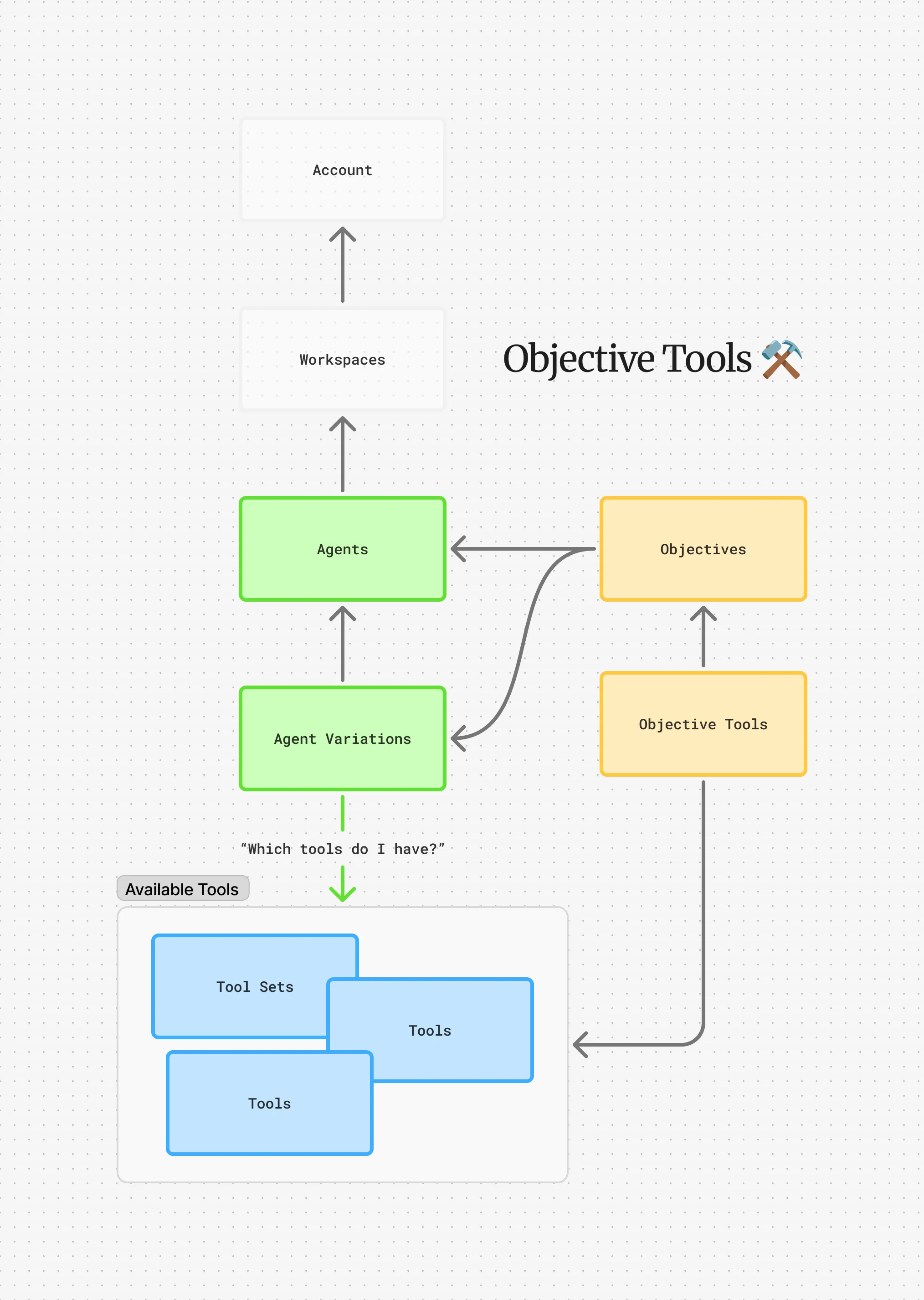
Cadenya copies tools assigned from the agent variation to an objective when it is created. This prevents a long-running agent from being confused when a tool changes or vanishes in the middle of a session. The tool’s name, parameters, description, and approval requirements are all included in the snapshot.
Context Windows
Section titled “Context Windows”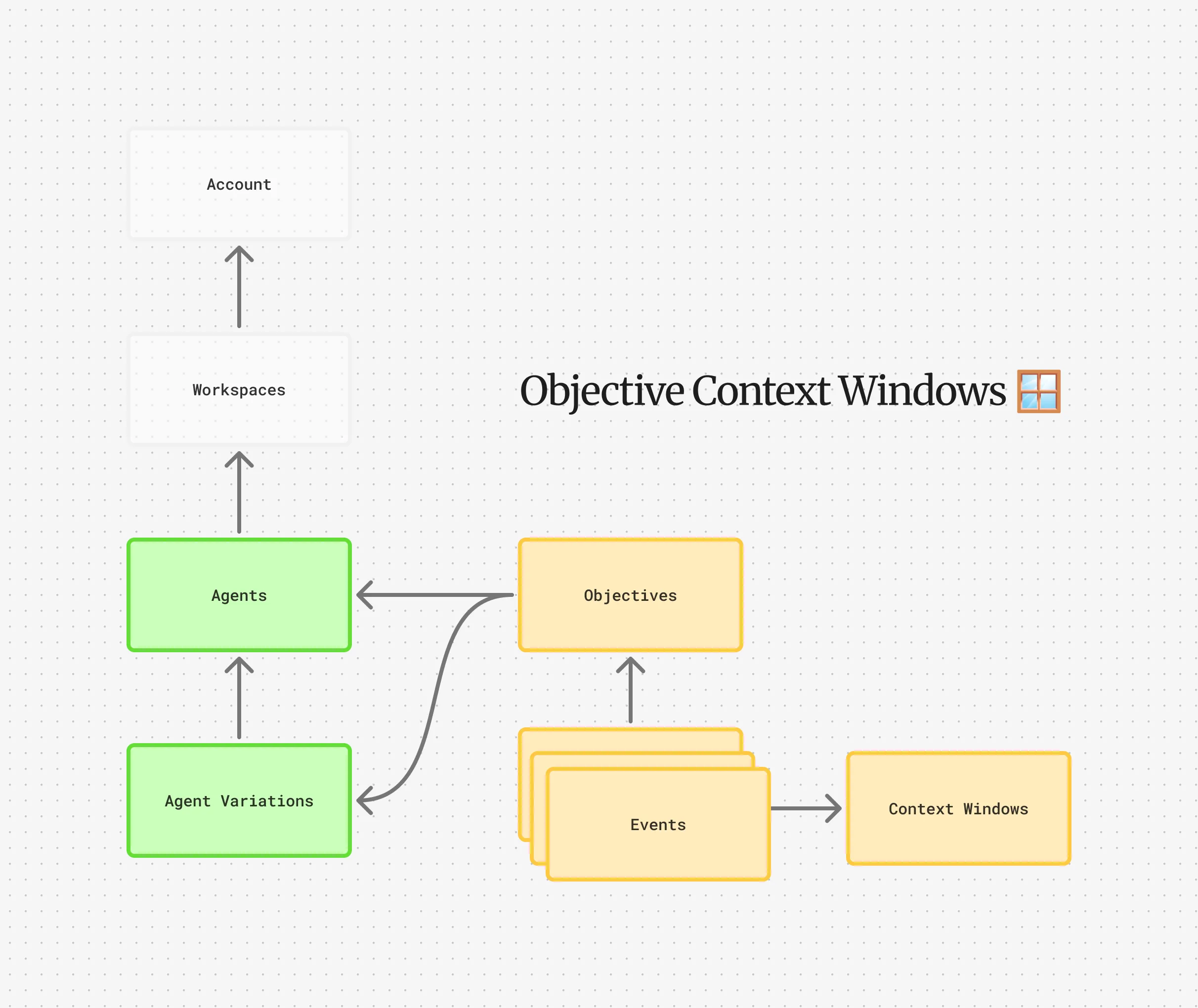
Agents don’t have infinite context. As an objective runs, the conversation grows. Context windows are how Cadenya manages this.
Each objective starts with one context window. When token usage exceeds the compaction threshold (configured on the variation), Cadenya compacts the conversation and creates a new window. The old conversation is summarized and carried forward as instructions for the next window.
Compaction has two strategies that can work together:
- Summarization condenses older turns into a summary, preserving semantic meaning.
- Tool result clearing strips the content from older tool results (keeping the function name and arguments) to reclaim tokens.
Events
Section titled “Events”Everything that happens during an objective is recorded as an event. Events form an immutable timeline you can stream or poll.
| Event Type | What Happened |
|---|---|
user_message | A user message was sent (initial or continuation). |
assistant_message | The agent responded. |
tool_called | The agent invoked a tool. |
tool_result | A tool returned its result. |
tool_error | A tool call failed. |
tool_approval_requested | The agent wants to use a tool that requires approval. |
tool_approved | A human approved the tool call. |
tool_denied | A human denied the tool call. |
sub_objective_created | The agent spawned a child objective. |
memory_read | The agent loaded a memory entry. |
error | An objective-level error occurred. |
Events are what power webhooks. Every event type above has a corresponding webhook delivery.
Sub-Objectives
Section titled “Sub-Objectives”Agents can delegate work to other agents by spawning sub-objectives. When an agent calls a tool that references another agent, Cadenya creates a child objective for that agent. The parent waits for the child to complete and receives the result as a tool response.
Sub-objectives are independent: they have their own context windows, events, tools, and memory. The parent doesn’t share state with the child beyond the initial input and final result.
Continuing an Objective
Section titled “Continuing an Objective”Completed or failed objectives aren’t dead. You can continue them by sending a follow-up message. This appends your message to the conversation and kicks the agent back into action.
Continuations are useful for multi-turn workflows (“now do X with those results”) or for recovering from failures by providing additional context the agent was missing.
You can also pass fresh secrets on continuation if the objective needs updated credentials.
Feedback
Section titled “Feedback”After an objective completes, you can score it. Feedback is a value from -1.0 (terrible) to 1.0 (perfect) with an optional comment.
Feedback is how Cadenya learns which variations work. When your agent uses weighted selection, feedback scores update the variation’s sampling parameters. Variations that consistently score well get selected more often. Variations that don’t… don’t.